
AI Review Desk
The Review Desk is a full-page workspace for exploring completed transcription sessions. It opens from the History view and provides six tabs with an animated sliding tab bar: Transcript, AI Correction, Overview, AI Analysis, Chat, and Mind Map.
Overview Tab
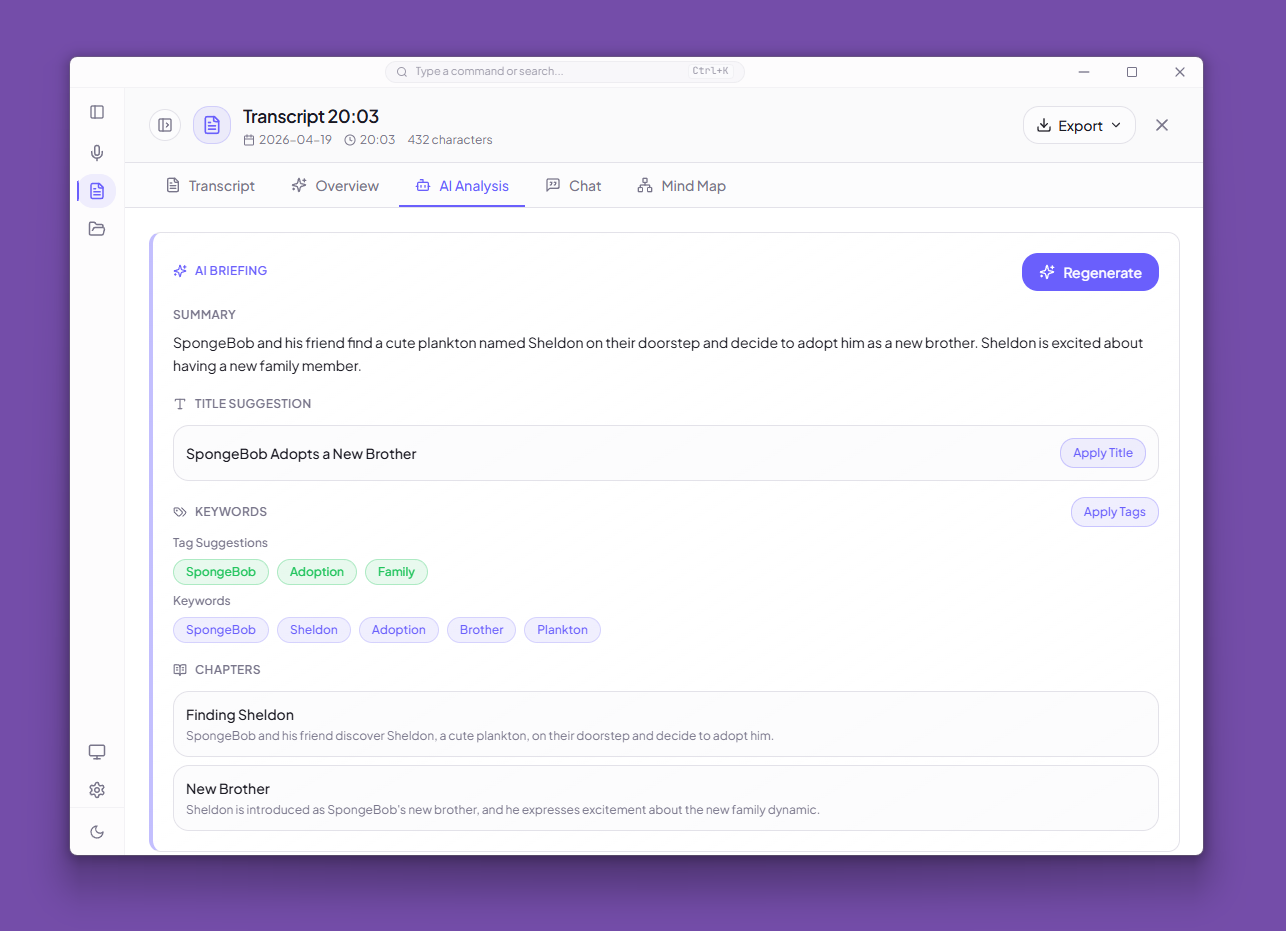
Generates an AI briefing from the transcript using an OpenAI-compatible chat completions endpoint.
Output includes:
- Summary — concise overview of the session
- Action items — extracted tasks and next steps
- Keywords — key terms from the discussion
- Chapters — logical sections with optional timestamps
- Title suggestion — AI-generated session title
- Tag suggestions — relevant tags for organization
One-click Apply buttons let you accept the suggested title and tags directly.
Configuration
AI features require an OpenAI-compatible endpoint configured in Settings > General > AI Post-Process:
- Base URL — defaults to
http://127.0.0.1:11434/v1(Ollama) - Model — the model to use for generation
- API Key — optional, depending on the endpoint
- Prompt Language —
zh(Chinese),en(English), orko(Korean)
Transcript Tab
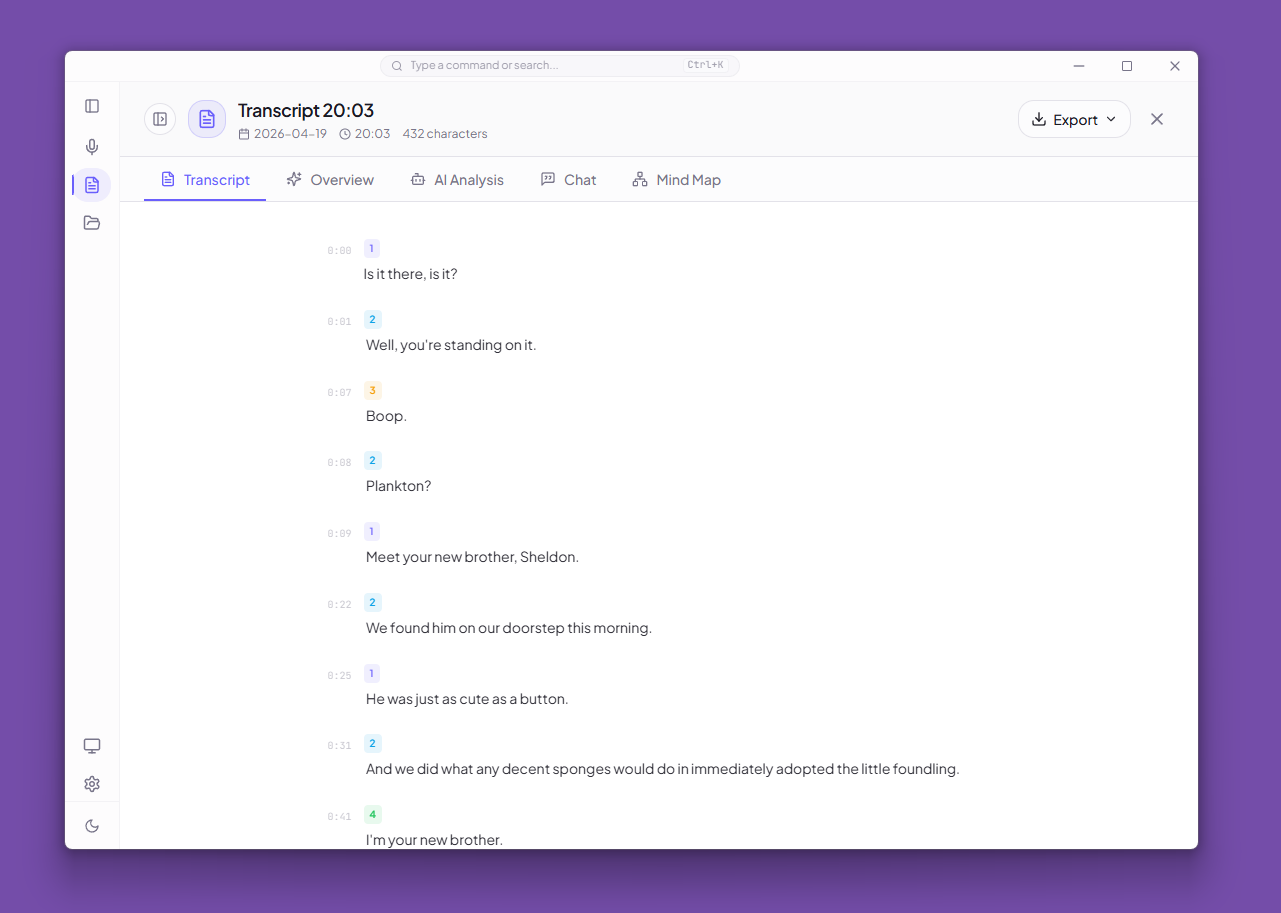
Displays the full transcript with:
- Timestamped segments in a left gutter
- Color-coded speaker badges (when diarization is available)
- Consecutive same-speaker merging
- Hover highlight for individual segments
- Optional translated text blocks
Export formats: TXT, Markdown, SRT, VTT
AI Correction Tab
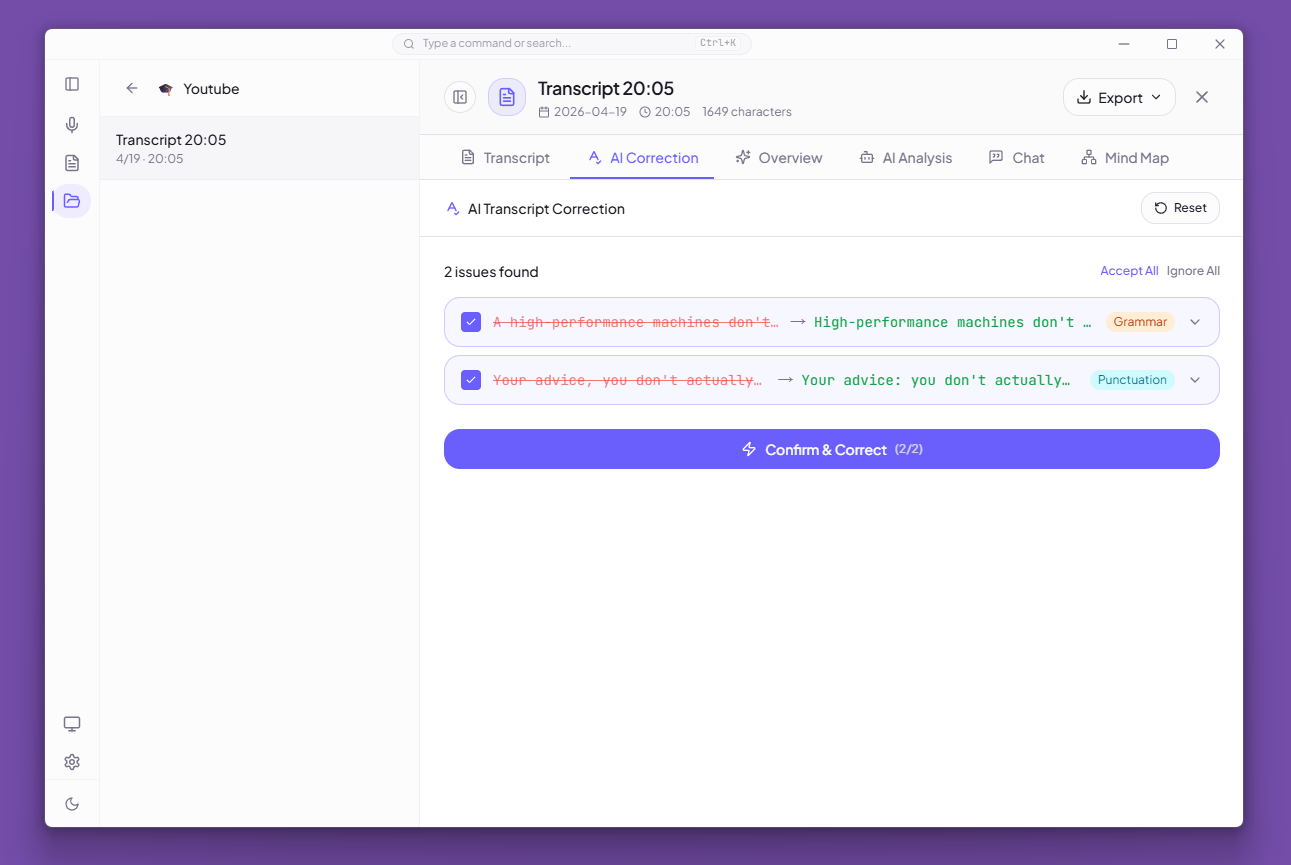
Provides two modes for correcting transcription errors:
- Quick Fix — rewrites the full transcript in one pass via streaming; corrected text replaces the original immediately
- Review & Fix — AI detects issues one by one (grammar, punctuation, wording); each issue shows original vs. suggested text and can be accepted or ignored individually
After correction completes, a side-by-side diff view highlights every change. Corrected transcripts can be exported as TXT or Markdown.
Smart Text-Source Selection
Once a correction is available, downstream AI features (Overview, Chat, Mind Map, AI Analysis) automatically use the corrected text. The preference is configurable in Settings > AI:
| Option | Behavior |
|---|---|
| Auto (default) | Use corrected text when available, fall back to original |
| Always Original | Always use the original transcript |
| Always Corrected | Always use corrected text (error if none exists) |
A real-time banner on each tab indicates which text source is currently in use.
Chat Tab
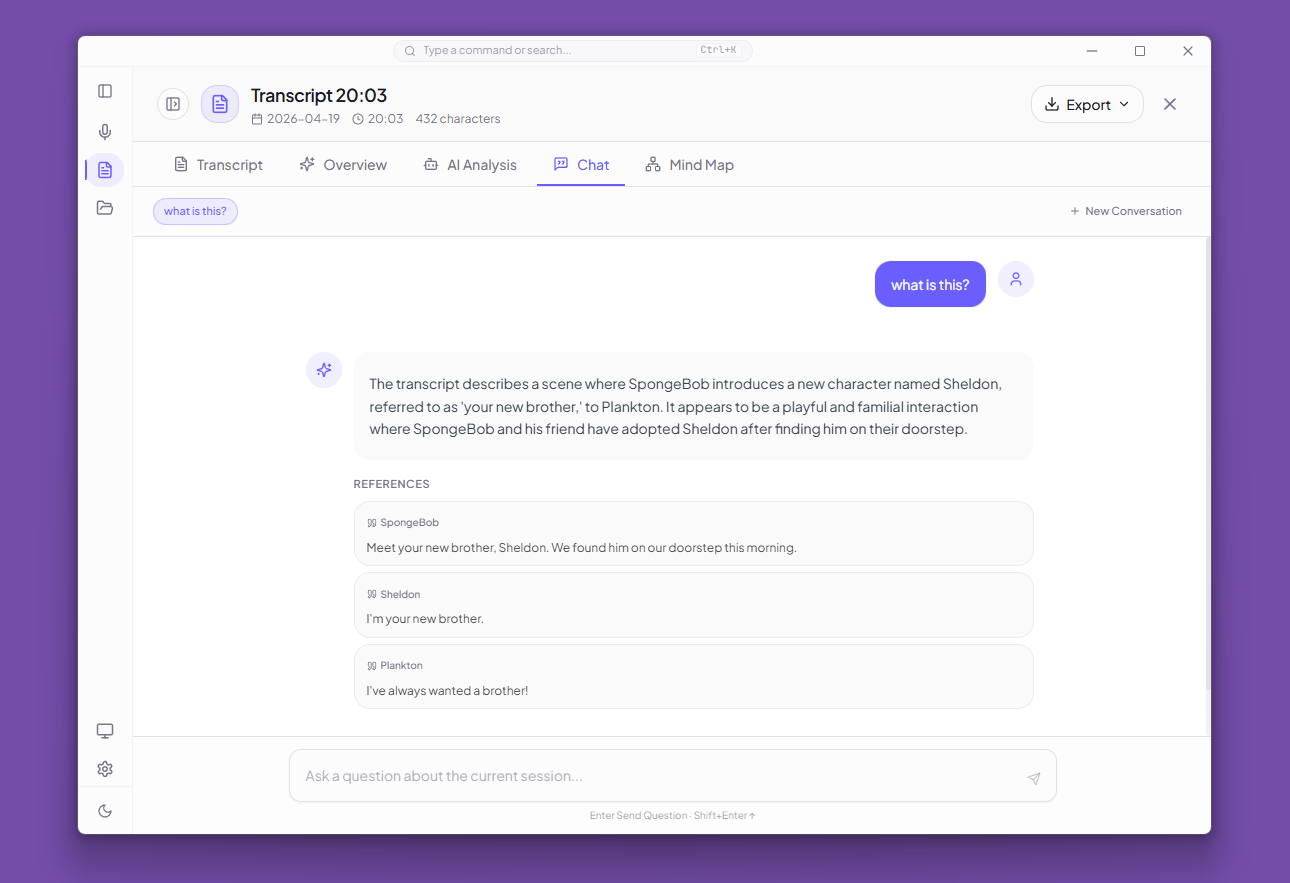
Multi-thread AI conversation about the transcript:
- GFM Markdown rendering with syntax-highlighted code blocks
- One-click code copy
- User/AI avatars
- Hover actions (Copy, Regenerate)
- Animated thinking-dots indicator
- Auto-resizing text composer (Enter to send)
- Floating scroll-to-bottom button
- Per-thread delete
Each question is sent with the transcript context and up to 4 previous Q&A turns for conversation continuity. Answers include optional citations referencing specific quotes from the transcript.
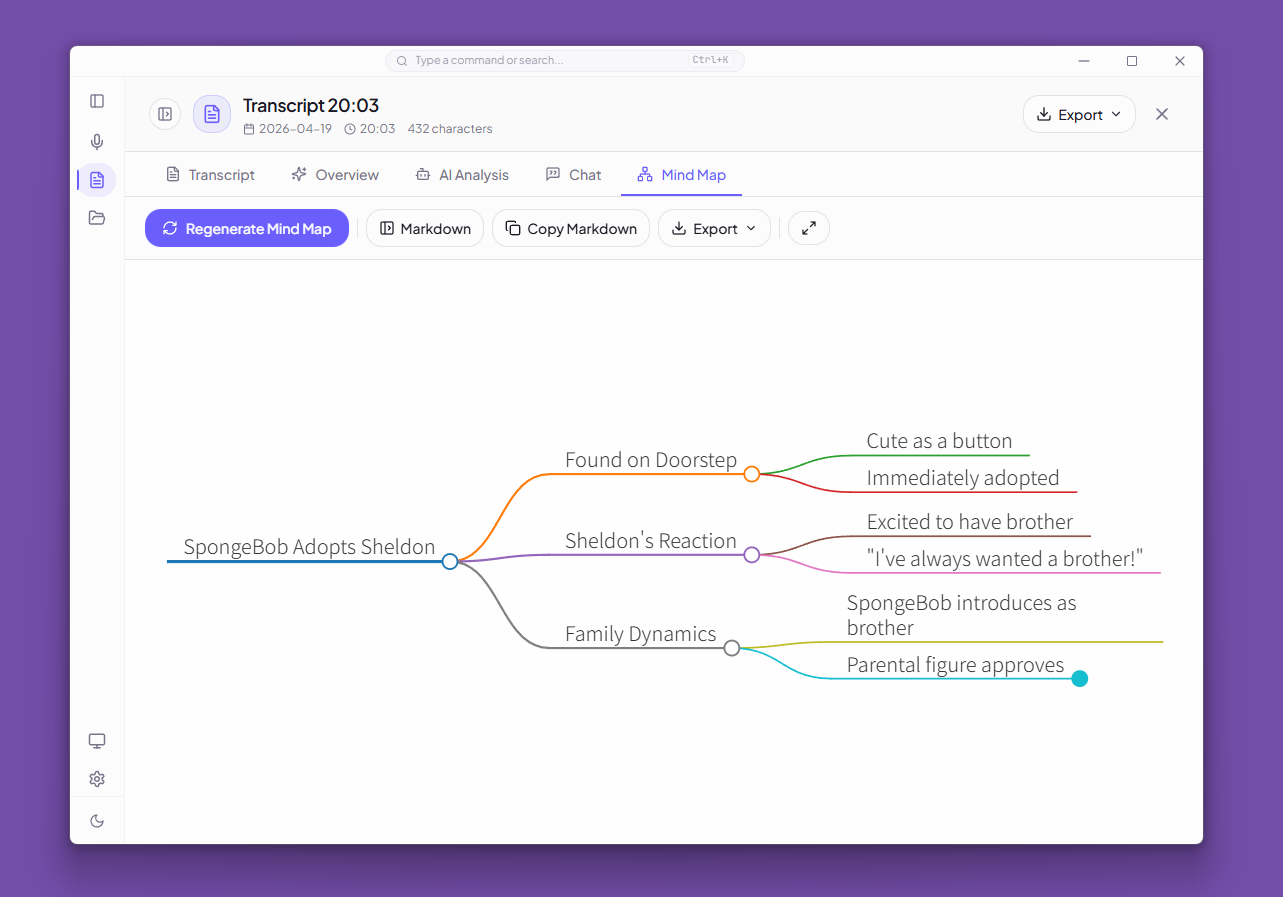
Mind Map Tab
Generate a Markmap-compatible Markdown mind map from the session:
- Live Markdown editor
- Interactive Markmap visualization
- Fullscreen portal mode
- Export to SVG or PNG
The mind map prompt leverages the AI summary, action items, and keywords when available.
Keyboard Navigation
| Shortcut | Action |
|---|---|
← / → | Switch tabs |
Ctrl/Cmd + 1–6 | Jump to specific tab |
Escape | Close the review desk |