
Settings
DeLive settings are organized into two tabs: Service (provider configuration) and General (app-wide preferences).
Service Tab
Provider Selection
Choose from fourteen ASR providers. Each provider has its own set of configuration fields (API keys, endpoints, models, language hints).
Config Test
All providers support Test Config, a button that verifies credentials and connectivity before recording.
Local Service Discovery
For Local OpenAI-compatible and FunASR / SenseVoice, DeLive can:
- Probe the service at the configured base URL
- List installed models via
/v1/models - Pull models from Ollama if detected (Local OpenAI-compatible only)
Runtime Setup
For Local whisper.cpp, the bundled runtime guide helps you:
- Import or download the
whisper-serverbinary - Import or download a
.bin/.ggufmodel - Test the runtime configuration
General Tab
Interface Language
Switch between Chinese (default), English, and Korean.
Color Theme
Eight accent palettes: Violet (default), Cyan, Rose, Emerald, Amber, Pink, Slate, Orange. Each supports full light and dark mode. The light/dark toggle is in the top navigation bar.
AI Post-Process
Configure the OpenAI-compatible endpoint for AI features:
| Field | Description | Default |
|---|---|---|
| Base URL | Chat completions endpoint | http://127.0.0.1:11434/v1 |
| Model | Model identifier | — |
| API Key | Optional authentication | — |
| Prompt Language | zh, en, or ko | zh |
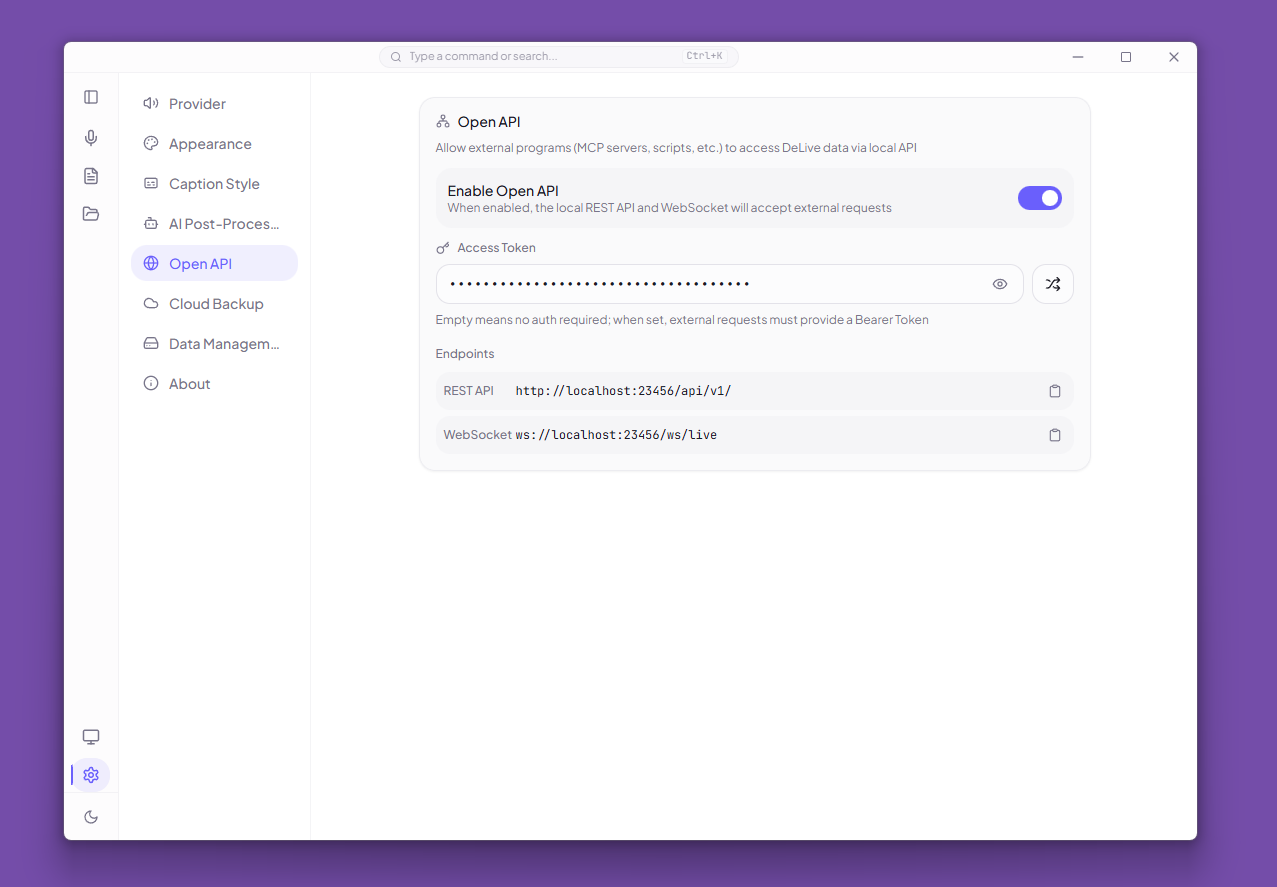
Open API
Control external access to DeLive data (Electron only):
| Setting | Description |
|---|---|
| Enable Open API | Toggle the local REST API and WebSocket on/off |
| Access Token | Required Bearer token; generated automatically when you enable the API |
| Generate Random Token | Creates a cryptographically random token |
| Endpoint URLs | Shows REST and WebSocket URLs with copy buttons |
WARNING
If you clear the token, the API refuses every request until a new one is set.
Data Management
- Export — download all sessions, tags, and settings as JSON
- Import — restore from a backup file (overwrite or merge)
Desktop Integration
- Auto-launch — start DeLive on system login (Windows and macOS)
- Auto-update — check for updates automatically
- Diagnostics export — generate a redacted JSON bundle for troubleshooting